lightweave.com

How do I adjust when interaction buttons appear in a particular scene?

Written by
Sherina from Prismatic
Published on
May 4, 2026
Length
1 minute read
By default, interaction buttons appear two seconds before your scene ends, regardless of the duration of your scene. However, in some cases, you may want to make your buttons appear earlier or later in the scene.
To adjust the interaction button timing, follow these simple steps:
  1. Open Ravel and go to your project
  2. Select the scene that you’d like to adjust
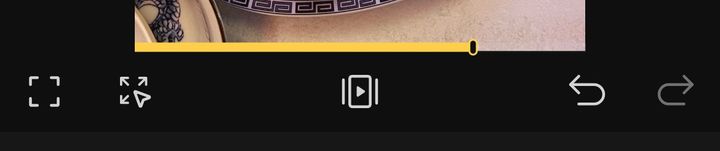
  3. At the bottom of the preview area, you can see a small oval marker that indicates when interaction buttons will appear. Long-press and drag it to adjust the timing.